



项目概述
pydub 是一个简单易用的音频处理库,提供高层次的接口,方便用户对音频文件进行剪辑、合并和转换等操作。
项目地址
https://github.com/jiaaro/pydub
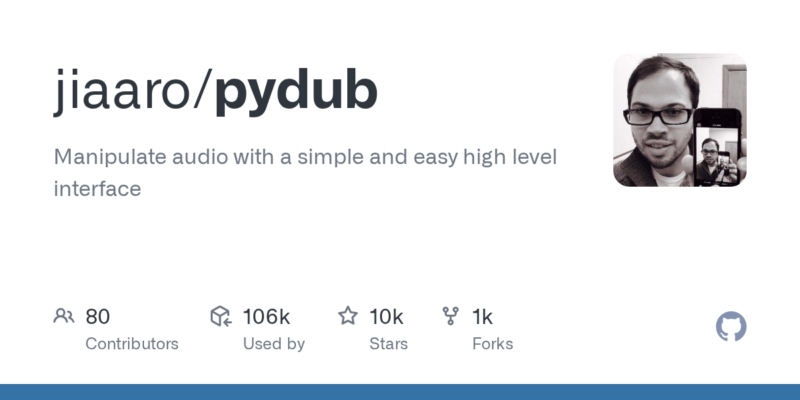
项目页面预览
关键指标
- Stars:9705
- 主要语言:Python
- License:MIT License
- 最近更新:2025-07-26T22:24:06Z
- 默认分支:master
本站高速下载(国内可用)
点击下载(本站镜像)
– SHA256:6cf60793cf78fc23820049d3241550dfe5df5968b28f16abae801b5680d06d33
安装部署要点(README 精选)
Quickstart
Open a WAV file
from pydub import AudioSegment

song = AudioSegment.from_wav("never_gonna_give_you_up.wav")
…or a mp3
song = AudioSegment.from_mp3("never_gonna_give_you_up.mp3")
… or an ogg, or flv, or anything else ffmpeg supports
ogg_version = AudioSegment.from_ogg("never_gonna_give_you_up.ogg")
flv_version = AudioSegment.from_flv("never_gonna_give_you_up.flv")

mp4_version = AudioSegment.from_file("never_gonna_give_you_up.mp4", "mp4")
wma_version = AudioSegment.from_file("never_gonna_give_you_up.wma", "wma")
aac_version = AudioSegment.from_file("never_gonna_give_you_up.aiff", "aac")
Slice audio:
# pydub does things in milliseconds
ten_seconds = 10 * 1000

first_10_seconds = song[:ten_seconds]

last_5_seconds = song[-5000:]
Make the beginning louder and the end quieter
# boost volume by 6dB
beginning = first_10_seconds + 6

# reduce volume by 3dB
end = last_5_seconds - 3
Concatenate audio (add one file to the end of another)
without_the_middle = beginning + end
How long is it?
without_the_middle.duration_seconds == 15.0
AudioSegments are immutable
# song is not modified
backwards = song.reverse()
Crossfade (again, beginning and end are not modified)
# 1.5 second crossfade
with_style = beginning.append(end, crossfade=1500)
Repeat
# repeat the clip twice
do_it_over = with_style * 2
Fade (note that you can chain operations because everything returns
an AudioSegment)
# 2 sec fade in, 3 sec fade out
awesome = do_it_over.fade_in(2000).fade_out(3000)
Save the results (again whatever ffmpeg supports)
awesome.export("mashup.mp3", format="mp3")
Save the results with tags (metadata)
awesome.export("mashup.mp3", format="mp3", tags={'artist': 'Various artists', 'album': 'Best of 2011', 'comments': 'This album is awesome!'})
You can pass an optional bitrate argument to export using any syntax ffmpeg
supports.
awesome.export("mashup.mp3", format="mp3", bitrate="192k")
Any further arguments supported by ffmpeg can be passed as a list in a
‘parameters’ argument, with switch first, argument second. Note that no
validation takes place on these parameters, and you may be limited by what
your particular build of ffmpeg/avlib supports.
# Use preset mp3 quality 0 (equivalent to lame V0)
awesome.export("mashup.mp3", format="mp3", parameters=["-q:a", "0"])

# Mix down to two channels and set hard output volume
awesome.export("mashup.mp3", format="mp3", parameters=["-ac", "2", "-vol", "150"])
Installation
Installing pydub is easy, but don’t forget to install ffmpeg/avlib (the next section in this doc)
pip install pydub
Or install the latest dev version from github (or replace @master with a release version like @v0.12.0)…
pip install git+https://github.com/jiaaro/pydub.git@master
-OR-
git clone https://github.com/jiaaro/pydub.git
-OR-
Copy the pydub directory into your python path. Zip
here
常用命令(从 README 提取)
# libav
brew install libav

####    OR    #####

# ffmpeg
brew install ffmpeg

# libav
apt-get install libav-tools libavcodec-extra

####    OR    #####

# ffmpeg
apt-get install ffmpeg libavcodec-extra
通用部署说明
- 下载源码并阅读 README
- 安装依赖(pip/npm/yarn 等)
- 配置环境变量(API Key、模型路径、数据库等)
- 启动服务并测试访问
- 上线建议:Nginx 反代 + HTTPS + 进程守护(systemd / pm2)
免责声明与版权说明
本文仅做开源项目整理与教程索引,源码版权归原作者所有,请遵循对应 License 合规使用。







暂无评论内容