




项目概述
Datasette 是一个开源的多功能工具,旨在帮助用户探索和发布数据,支持多种格式如 CSV 和 JSON,适用于 SQL 和 SQLite 数据库。
项目地址
https://github.com/simonw/datasette
项目页面预览
关键指标
- Stars:10685
- 主要语言:Python
- License:Apache License 2.0
- 最近更新:2026-01-07T13:04:25Z
- 默认分支:main
本站高速下载(国内可用)
点击下载(本站镜像)
– SHA256:567cb9183bb115a266801efb745b4306b38e404d731b423ef1ef15d3cb200035
安装部署要点(README 精选)
Installation
If you are on a Mac, Homebrew is the easiest way to install Datasette:
brew install datasette
You can also install it using pip or pipx:
pip install datasette
Datasette requires Python 3.8 or higher. We also have detailed installation instructions covering other options such as Docker.
Basic usage
datasette serve path/to/database.db
This will start a web server on port 8001 – visit http://localhost:8001/ to access the web interface.
serve is the default subcommand, you can omit it if you like.
Use Chrome on OS X? You can run datasette against your browser history like so:
datasette ~/Library/Application\ Support/Google/Chrome/Default/History --nolock
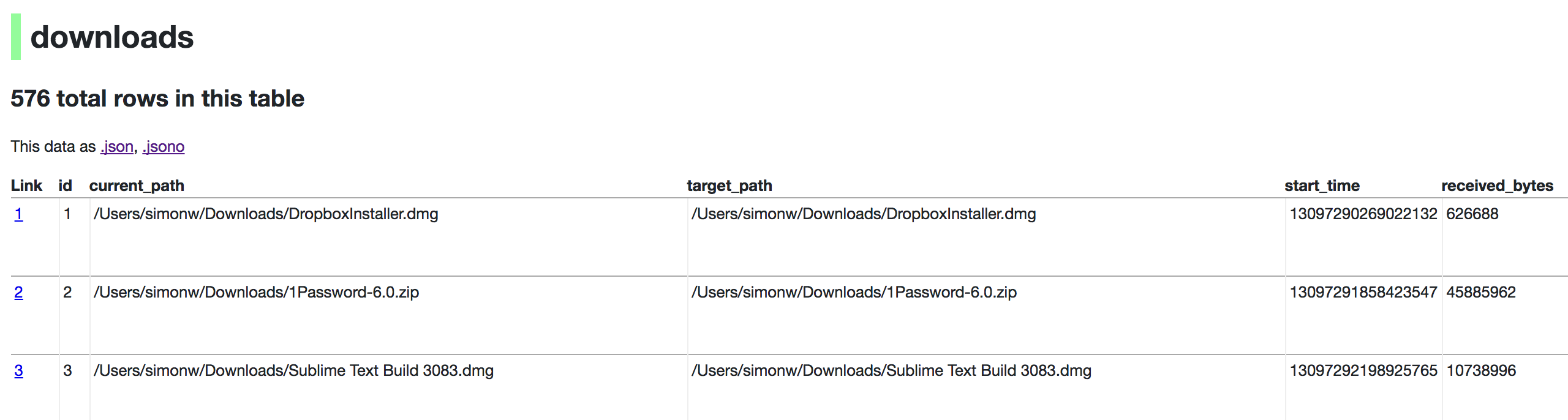
Now visiting http://localhost:8001/History/downloads will show you a web interface to browse your downloads data:
常用命令(从 README 提取)
(未提取到命令块)
通用部署说明
- 下载源码并阅读 README
- 安装依赖(pip/npm/yarn 等)
- 配置环境变量(API Key、模型路径、数据库等)
- 启动服务并测试访问
- 上线建议:Nginx 反代 + HTTPS + 进程守护(systemd / pm2)
免责声明与版权说明
本文仅做开源项目整理与教程索引,源码版权归原作者所有,请遵循对应 License 合规使用。







暂无评论内容