



项目概述
H2O-3是一个开源的分布式机器学习平台,支持深度学习、梯度提升、随机森林等多种算法,旨在为数据科学家提供快速、可扩展的自动化机器学习解决方案。
项目地址
https://github.com/h2oai/h2o-3
项目页面预览
关键指标
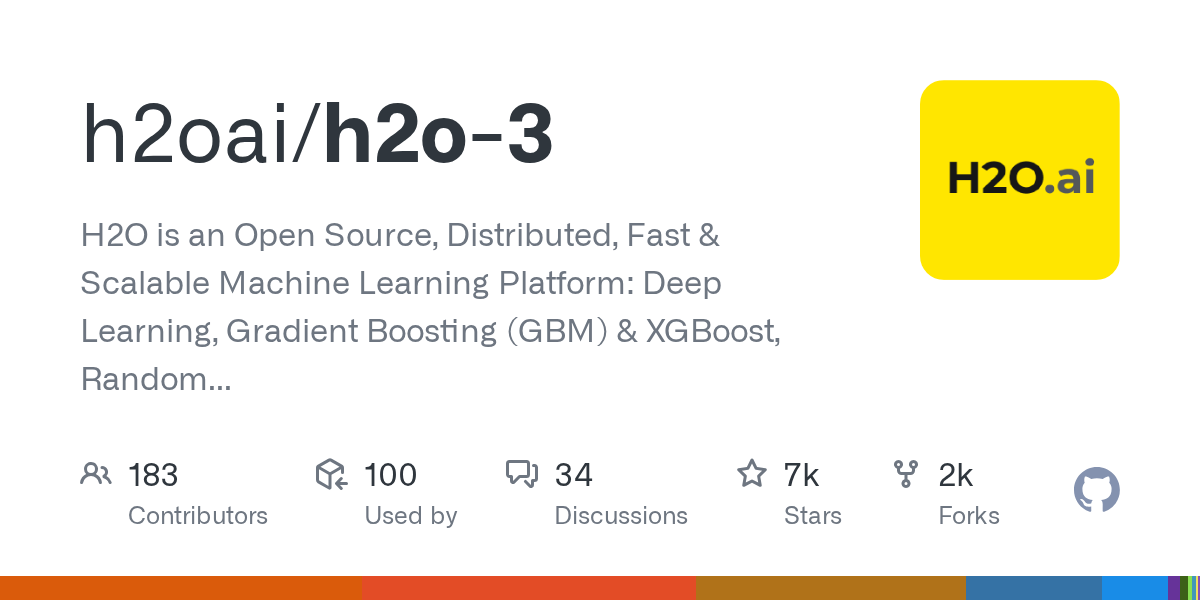
- Stars:7478
- 主要语言:Jupyter Notebook
- License:Apache License 2.0
- 最近更新:2026-01-15T02:29:28Z
- 默认分支:master
本站高速下载(国内可用)
点击下载(本站镜像)
– SHA256:9d4493199d9691c2ae935c7c1444253d98983ad5c1640fc847f5be6af4c897a7
安装部署要点(README 精选)
Recipe 1: Clone fresh, build, skip tests, and run H2O
# Build H2O
git clone https://github.com/h2oai/h2o-3.git
cd h2o-3
./gradlew build -x test

You may encounter problems: e.g. npm missing. Install it:
brew install npm

# Start H2O
java -jar build/h2o.jar

# Point browser to http://localhost:54321
Recipe 2: Clone fresh, build, and run tests (requires a working install of R)
git clone https://github.com/h2oai/h2o-3.git
cd h2o-3
./gradlew syncSmalldata
./gradlew syncRPackages
./gradlew build
Notes:
- Running tests starts five test JVMs that form an H2O cluster and requires at least 8GB of RAM (preferably 16GB of RAM).
- Running
./gradlew syncRPackagesis supported on Windows, OS X, and Linux, and is strongly recommended but not required../gradlew syncRPackagesensures a complete and consistent environment with pre-approved versions of the packages required for tests and builds. The packages can be installed manually, but we recommend setting an ENV variable and using./gradlew syncRPackages. To set the ENV variable, use the following format (where `${WORKSPACE} can be any path):
mkdir -p ${WORKSPACE}/Rlibrary

export R_LIBS_USER=${WORKSPACE}/Rlibrary
Recipe 3: Pull, clean, build, and run tests
git pull
./gradlew syncSmalldata
./gradlew syncRPackages
./gradlew clean
./gradlew build
4.3. Setup on Windows
Step 1: Download and install WinPython.
From the command line, validate python is using the newly installed package by using which python (or sudo which python). Update the Environment variable with the WinPython path.
Step 2: Install required Python packages:
pip install grip tabulate wheel
Step 3: Install JDK
Install Java 1.8+ and add the appropriate directory C:\Program Files\Java\jdk1.7.0_65\bin with java.exe to PATH in Environment Variables. To make sure the command prompt is detecting the correct Java version, run:
javac -version
The CLASSPATH variable also needs to be set to the lib subfolder of the JDK:
CLASSPATH=/<path>/<to>/<jdk>/lib
Step 4. Install Node.js
Install Node.js and add the installed directory C:\Program Files\nodejs, which must include node.exe and npm.cmd to PATH if not already prepended.
Step 5. Install R, the required packages, and Rtools:
Install R and add the bin directory to your PATH if not already included.
Install the following R packages:
To install these packages from within an R session:
pkgs <- c("RCurl", "jsonlite", "statmod", "devtools", "roxygen2", "testthat")
for (pkg in pkgs) {
  if (! (pkg %in% rownames(installed.packages()))) install.packages(pkg)
}
Note that libcurl is required for installation of the RCurl R package.
Note that this packages don’t cover running tests, they are for building H2O only.
Finally, install Rtools, which is a collection of command line tools to facilitate R development on Windows.
NOTE: During Rtools installation, do not install Cygwin.dll.
Step 6. Install Cygwin
NOTE: During installation of Cygwin, deselect the Python packages to avoid a conflict with the Python.org package.
Step 6b. Validate Cygwin
If Cygwin is already installed, remove the Python packages or ensure that Native Python is before Cygwin in the PATH variable.
Step 7. Update or validate the Windows PATH variable to include R, Java JDK, Cygwin.
Step 8. Git Clone h2o-3
If you don’t already have a Git client, please install one. The default one can be found here http://git-scm.com/downloads. Make sure that command prompt support is enabled before the installation.
Download and update h2o-3 source codes:
git clone https://github.com/h2oai/h2o-3
Step 9. Run the top-level gradle build:
cd h2o-3
./gradlew.bat build
If you encounter errors run again with
--stacktracefor more instructions on missing dependencies.
常用命令(从 README 提取)
pip install h2o

// h2o-3 dependency information
def h2oBranch = 'master'
def h2oBuildNumber = 'nnnn'
def h2oProjectVersion = "x.y.z.${h2oBuildNumber}"

repositories {
  // h2o-3 dependencies
  maven {
    url "https://s3.amazonaws.com/h2o-release/h2o-3/${h2oBranch}/${h2oBuildNumber}/maven/repo/"
  }
}

dependencies {
  compile "ai.h2o:h2o-core:${h2oProjectVersion}"
  compile "ai.h2o:h2o-algos:${h2oProjectVersion}"
  compile "ai.h2o:h2o-web:${h2oProjectVersion}"
  compile "ai.h2o:h2o-app:${h2oProjectVersion}"
}

grip
tabulate
requests
wheel
通用部署说明
- 下载源码并阅读 README
- 安装依赖(pip/npm/yarn 等)
- 配置环境变量(API Key、模型路径、数据库等)
- 启动服务并测试访问
- 上线建议:Nginx 反代 + HTTPS + 进程守护(systemd / pm2)
免责声明与版权说明
本文仅做开源项目整理与教程索引,源码版权归原作者所有,请遵循对应 License 合规使用。





暂无评论内容