



项目概述
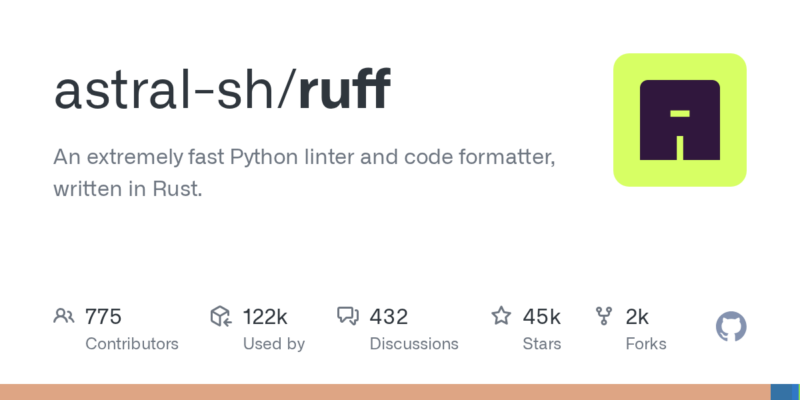
Ruff 是一个极其快速的 Python 代码检查工具和格式化器,采用 Rust 语言编写,旨在提升代码质量并确保符合 PEP 8 风格指南。
项目地址
https://github.com/astral-sh/ruff
项目页面预览
关键指标
- Stars:45131
- 主要语言:Rust
- License:MIT License
- 最近更新:2026-01-15T09:29:16Z
- 默认分支:main
本站高速下载(国内可用)
点击下载(本站镜像)
– SHA256:bc55c4967ee168223b4bb9c53ce7562c24e4155da1e4fe8659a312ffa84643ff
安装部署要点(README 精选)
Getting Started
For more, see the documentation.
Installation
Ruff is available as ruff on PyPI.
Invoke Ruff directly with uvx:
uvx ruff check   # Lint all files in the current directory.
uvx ruff format  # Format all files in the current directory.
Or install Ruff with uv (recommended), pip, or pipx:
# With uv.
uv tool install ruff@latest  # Install Ruff globally.
uv add --dev ruff            # Or add Ruff to your project.

# With pip.
pip install ruff

# With pipx.
pipx install ruff
Starting with version 0.5.0, Ruff can be installed with our standalone installers:
# On macOS and Linux.
curl -LsSf https://astral.sh/ruff/install.sh | sh

# On Windows.
powershell -c "irm https://astral.sh/ruff/install.ps1 | iex"

# For a specific version.
curl -LsSf https://astral.sh/ruff/0.14.11/install.sh | sh
powershell -c "irm https://astral.sh/ruff/0.14.11/install.ps1 | iex"
You can also install Ruff via Homebrew, Conda,
and with a variety of other package managers.
Usage
To run Ruff as a linter, try any of the following:
ruff check                          # Lint all files in the current directory (and any subdirectories).
ruff check path/to/code/            # Lint all files in `/path/to/code` (and any subdirectories).
ruff check path/to/code/*.py        # Lint all `.py` files in `/path/to/code`.
ruff check path/to/code/to/file.py  # Lint `file.py`.
ruff check @arguments.txt           # Lint using an input file, treating its contents as newline-delimited command-line arguments.
Or, to run Ruff as a formatter:
ruff format                          # Format all files in the current directory (and any subdirectories).
ruff format path/to/code/            # Format all files in `/path/to/code` (and any subdirectories).
ruff format path/to/code/*.py        # Format all `.py` files in `/path/to/code`.
ruff format path/to/code/to/file.py  # Format `file.py`.
ruff format @arguments.txt           # Format using an input file, treating its contents as newline-delimited command-line arguments.
Ruff can also be used as a pre-commit hook via ruff-pre-commit:
- repo: https://github.com/astral-sh/ruff-pre-commit
  # Ruff version.
  rev: v0.14.11
  hooks:
    # Run the linter.
    - id: ruff-check
      args: [ --fix ]
    # Run the formatter.
    - id: ruff-format
Ruff can also be used as a VS Code extension or with various other editors.
Ruff can also be used as a GitHub Action via
ruff-action:
name: Ruff
on: [ push, pull_request ]
jobs:
  ruff:
    runs-on: ubuntu-latest
    steps:
      - uses: actions/checkout@v4
      - uses: astral-sh/ruff-action@v3
Configuration
Ruff can be configured through a pyproject.toml, ruff.toml, or .ruff.toml file (see:
Configuration, or Settings
for a complete list of all configuration options).
If left unspecified, Ruff’s default configuration is equivalent to the following ruff.toml file:
# Exclude a variety of commonly ignored directories.
exclude = [
    ".bzr",
    ".direnv",
    ".eggs",
    ".git",
    ".git-rewrite",
    ".hg",
    ".ipynb_checkpoints",
    ".mypy_cache",
    ".nox",
    ".pants.d",
    ".pyenv",
    ".pytest_cache",
    ".pytype",
    ".ruff_cache",
    ".svn",
    ".tox",
    ".venv",
    ".vscode",
    "__pypackages__",
    "_build",
    "buck-out",
    "build",
    "dist",
    "node_modules",
    "site-packages",
    "venv",
]

# Same as Black.
line-length = 88
indent-width = 4

# Assume Python 3.9
target-version = "py39"

[lint]
# Enable Pyflakes (`F`) and a subset of the pycodestyle (`E`) codes by default.
select = ["E4", "E7", "E9", "F"]
ignore = []

# Allow fix for all enabled rules (when `--fix`) is provided.
fixable = ["ALL"]
unfixable = []

# Allow unused variables when underscore-prefixed.
dummy-variable-rgx = "^(_+|(_+[a-zA-Z0-9_]*[a-zA-Z0-9]+?))$"

[format]
# Like Black, use double quotes for strings.
quote-style = "double"

# Like Black, indent with spaces, rather than tabs.
indent-style = "space"

# Like Black, respect magic trailing commas.
skip-magic-trailing-comma = false

# Like Black, automatically detect the appropriate line ending.
line-ending = "auto"
Note that, in a pyproject.toml, each section header should be prefixed with tool.ruff. For
example, [lint] should be replaced with [tool.ruff.lint].
Some configuration options can be provided via dedicated command-line arguments, such as those
related to rule enablement and disablement, file discovery, and logging level:
ruff check --select F401 --select F403 --quiet
The remaining configuration options can be provided through a catch-all --config argument:
ruff check --config "lint.per-file-ignores = {'some_file.py' = ['F841']}"
To opt in to the latest lint rules, formatter style changes, interface updates, and more, enable
preview mode by setting preview = true in your configuration
file or passing --preview on the command line. Preview mode enables a collection of unstable
features that may change prior to stabilization.
See ruff help for more on Ruff’s top-level commands, or ruff help check and ruff help format
for more on the linting and formatting commands, respectively.
常用命令(从 README 提取)
uvx ruff check   # Lint all files in the current directory.
uvx ruff format  # Format all files in the current directory.

# With uv.
uv tool install ruff@latest  # Install Ruff globally.
uv add --dev ruff            # Or add Ruff to your project.

# With pip.
pip install ruff

# With pipx.
pipx install ruff

# On macOS and Linux.
curl -LsSf https://astral.sh/ruff/install.sh | sh

# On Windows.
powershell -c "irm https://astral.sh/ruff/install.ps1 | iex"

# For a specific version.
curl -LsSf https://astral.sh/ruff/0.14.11/install.sh | sh
powershell -c "irm https://astral.sh/ruff/0.14.11/install.ps1 | iex"
通用部署说明
- 下载源码并阅读 README
- 安装依赖(pip/npm/yarn 等)
- 配置环境变量(API Key、模型路径、数据库等)
- 启动服务并测试访问
- 上线建议:Nginx 反代 + HTTPS + 进程守护(systemd / pm2)
免责声明与版权说明
本文仅做开源项目整理与教程索引,源码版权归原作者所有,请遵循对应 License 合规使用。






暂无评论内容